

Home services, in one app
Your Home.Our Responsibility.
Thoughtful home care, made simple.

Every fix your home needs.
Six kinds of help. One app to book them.
Nothing hidden.
You see the quote and approve it before any work starts.
Our services
 01PlumbingTaps, leaks, drainsDripping taps, leaking pipes and slow drains, looked at by someone who knows water.
 02ElectricalFans, switches, wiringSwitches that spark, lights that flicker and fans that stop. Fixed carefully, with the power off.
 03AC RepairService, repair, installCooling that has faded, water dripping indoors or a unit that will not start.
 04AppliancesWasher, fridge, ROWashing machines, fridges and water purifiers, back to doing their job.
 05CleaningBathroom, kitchen, sofaDeep cleaning for the rooms that work hardest: bathroom, kitchen and sofa.
 06CarpentryDoors, locks, furnitureDoors that stick, locks that jam and furniture that needs a steady hand.
Job done.
Every visit ends with a clear record in the app.
How it works
From “something’s broken” to fixed.

Step 1
Tell us what is wrong
Pick a service, or snap a photo, record a voice note or type a few words. The app helps you find the right kind of help.

Step 2
Choose when
Ask for someone now, or pick a day and a time slot that suits you.

Step 3
Meet your technician
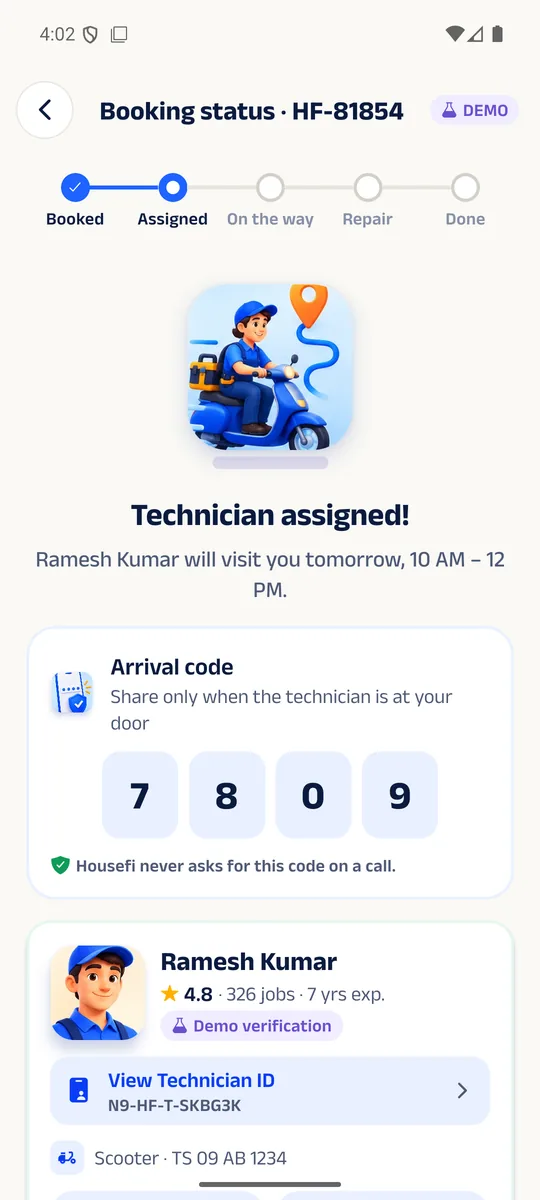
See who is coming and follow them on the way. Share your arrival code only when they are at your door.

Step 4
Approve the quote first
After a look at the problem, the technician sends a quote to your phone. Work starts only when you say yes.

Step 5
Pay and rate
When the job is done, pay in the app and tell us how it went.
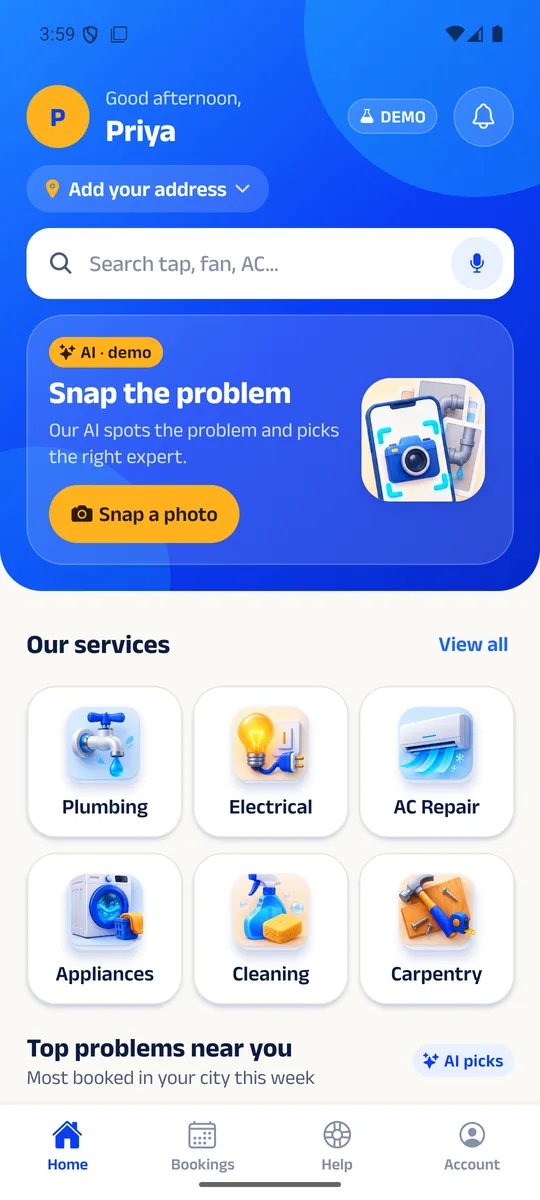
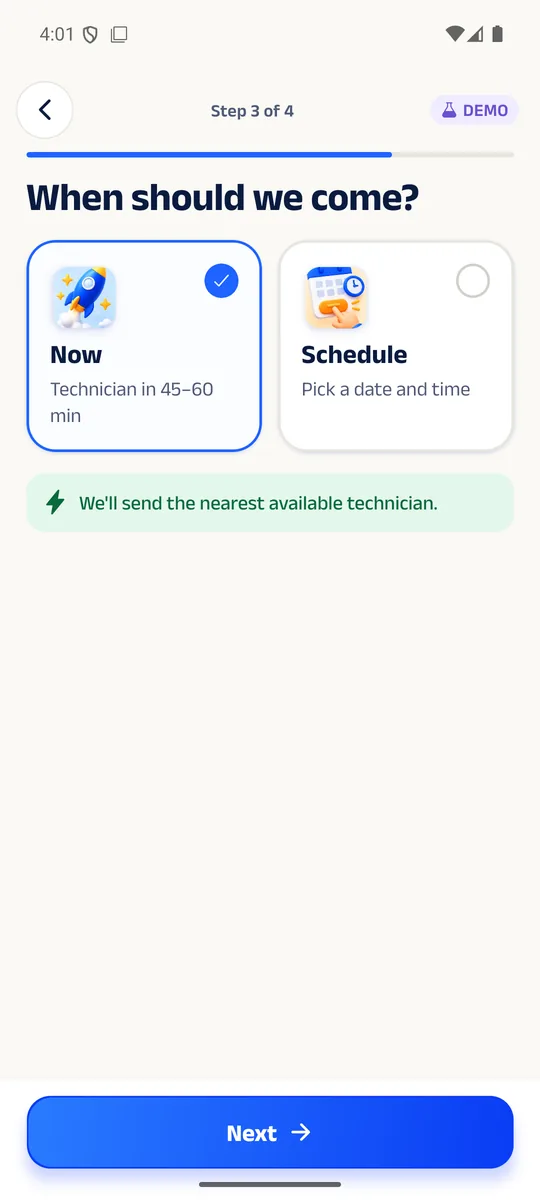
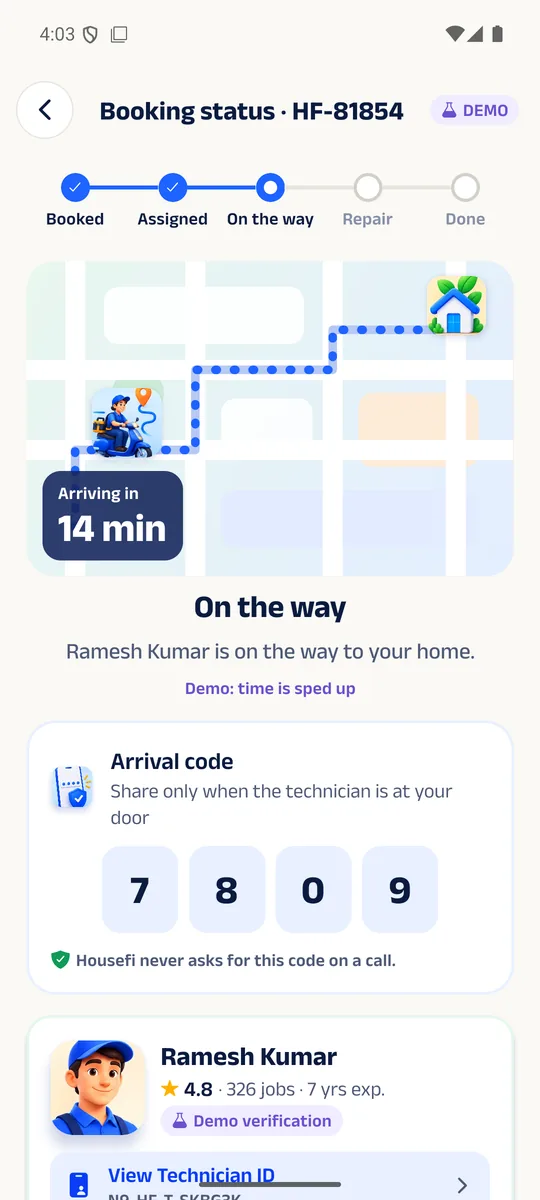
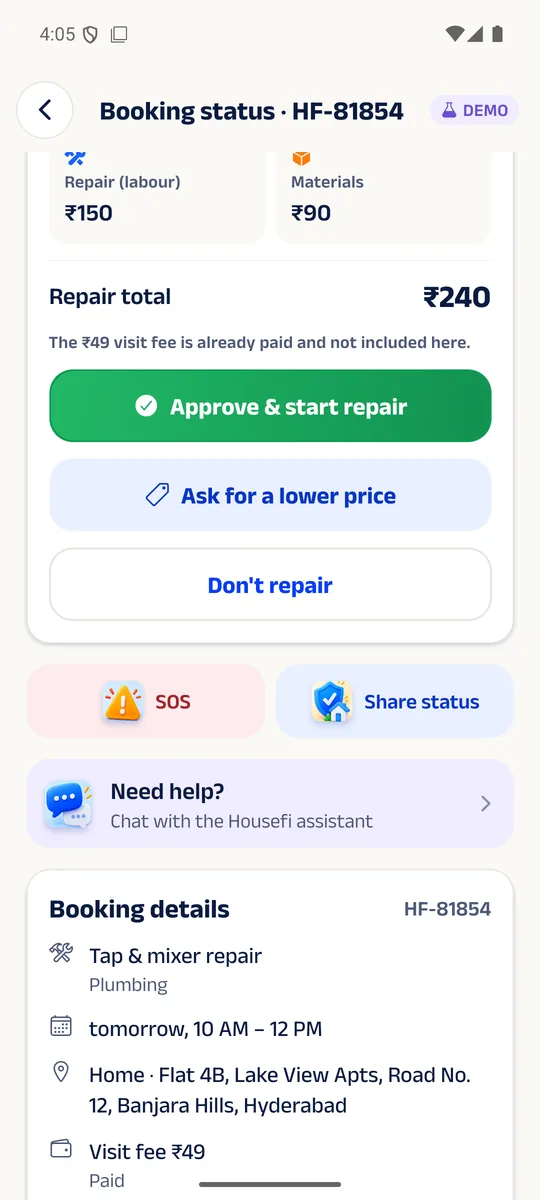
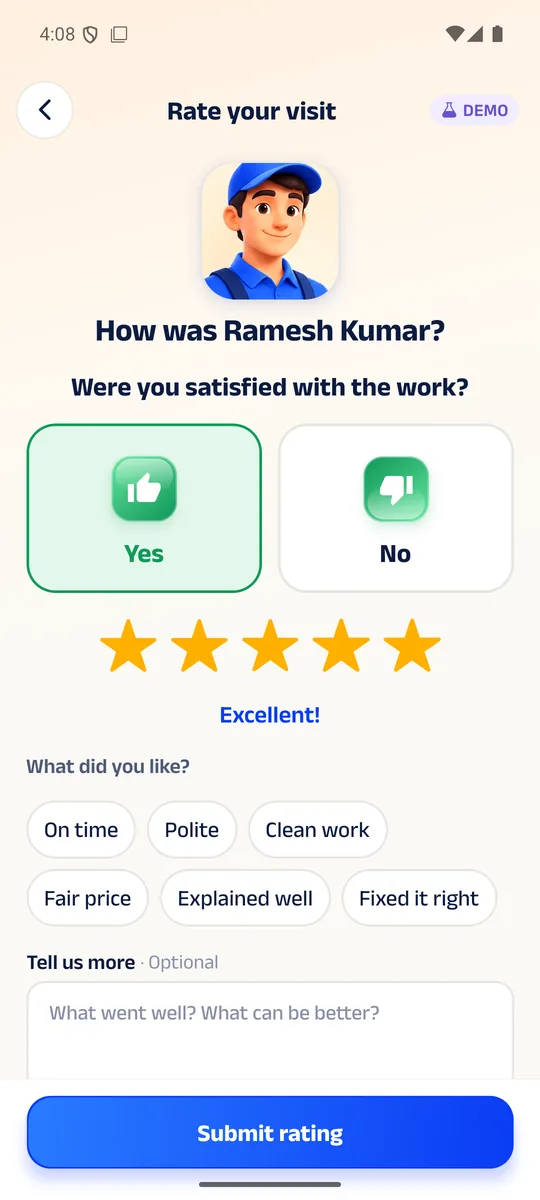
Screens from the Housefi app preview.
Why Housefi
Why Housefi
A home runs on small things working. When one of them breaks, getting help should feel calm, clear and simple.
You approve before any work
The quote comes to your phone first. Nothing starts until you agree.

Know who is at your door
Each technician has a Housefi ID card with a QR code you can check.

A code for the door
A 4-digit arrival code, shared only when your technician arrives.
English and Telugu
Use the app in the language you are most comfortable with.

Updates as it happens
From "assigned" to "on the way" to "done", the app keeps you posted.

The Housefi app
The whole visit lives in the app.
Booking, tracking, quotes, payment and your history are all in the Housefi app. This website introduces Housefi; the app is where the help happens.
- Book in a few taps
- Follow your technician
- Approve quotes
- Pay and keep receipts
- Coming soonGoogle Play
- Coming soonApp Store
App screens shown are from the current preview build.

About Housefi
Built for the way homes really work.
Housefi is a home-services platform with two sides in one app: one for people who need help at home, and one for the technicians who provide it.
Our aim is simple: make getting a repair as calm as booking a ride. Clear steps, clear prices before work, and a person you can verify at the door.
Housefi is built by Nexara9.
Founders
The people behind Housefi.


Questions
Good to know.
What is Housefi?
Housefi is an app for booking help at home: plumbing, electrical, AC repair, appliances, cleaning and carpentry.
How do I book?
Download the Housefi app, describe the problem, pick a time and confirm. Bookings are made in the app, not on this website.
When do I find out the price of the repair?
After the technician has looked at the problem, they send a quote to the app. Work starts only after you approve it.
How do I know who is coming?
The app shows your technician before they arrive, and their Housefi ID card can be checked with its QR code.
Which languages does the app support?
English and Telugu.
Where is Housefi available?
Service areas will be announced at launch. Follow us or check back here for updates.
